






Estimated Reading Time: 34-36 minutes (6,586 words)
Introduction
Work in 2026 looks very different from how it did just a decade ago. The modern professional is constantly connected, working across multiple apps, devices, and communication channels throughout the day. Emails, Slack messages, calendar meetings, project updates, client calls, and personal responsibilities often compete for attention at the same time.
In many ways, the smartphone has become the central control hub for daily productivity. Millions of professionals now manage work directly from their phones — responding to emails during commutes, reviewing documents between meetings, scheduling tasks on the go, and collaborating with global teams in real time.
However, this convenience comes with a major downside: digital overload.
Many people feel overwhelmed by the sheer volume of notifications, messages, and tasks they must manage every day. Without the right systems in place, it becomes easy to lose track of priorities, miss deadlines, or spend valuable time switching between apps and distractions.
The Productivity Challenge
Studies consistently show that a large portion of the workday is lost to inefficient workflows and digital distractions.
Recent research highlights several important trends:
- Around 35% of smartphone users spend more than two hours daily using productivity apps to manage tasks and work activities.
- Approximately 82% of professionals rely on productivity tools to schedule meetings, track assignments, and organize projects.
- Mobile productivity usage continues to grow rapidly as remote work, freelancing, and hybrid work models become the global norm.
In addition, workplace productivity studies suggest that employees lose up to 2 hours per day due to interruptions, context switching, and poor task organization. Over the course of a year, that translates to hundreds of lost work hours.
This is where the right productivity tools can make a major difference.
How Productivity Apps Help
Modern productivity apps are designed to solve the biggest challenges of digital work by helping users organize information, streamline workflows, and reduce distractions.
The best productivity apps can help you:
- Organize tasks and priorities with smart to-do lists and reminders
- Automate repetitive work using AI assistants and workflow automation
- Manage projects efficiently with collaboration tools and digital workspaces
- Stay focused and minimize distractions with focus timers and habit trackers
- Centralize information so you spend less time searching across apps
Many of today’s top productivity apps also integrate artificial intelligence, automation, and cloud collaboration, making them far more powerful than traditional task managers.
For example, some apps can now automatically schedule tasks in your calendar, summarize meeting notes, suggest priorities for your day, or even draft emails and documents using AI.
Why iPhone Productivity Apps Matter
Apple’s ecosystem has become one of the most powerful platforms for productivity tools. With seamless integration across iPhone, iPad, Mac, and Apple Watch, many professionals rely on iOS apps to manage both their personal and professional lives.
The App Store now hosts thousands of productivity tools, but only a small number truly deliver meaningful improvements to daily workflows.
Choosing the right apps can transform your smartphone from a source of distraction into a powerful productivity engine.
What You’ll Learn in This Guide
In this guide, we explore 9 of the best productivity iPhone apps in 2026 that can help you work smarter, stay organized, and accomplish more every day.
These apps cover multiple aspects of productivity, including:
- Task and project management
- AI assistants and automation tools
- Focus and deep work apps
- Team collaboration platforms
- Digital planning and organization systems
Whether you’re a student, freelancer, entrepreneur, or corporate professional, the right combination of these apps can significantly improve how you manage your time and tasks.
Let’s explore the top productivity iPhone apps that can help you get more done in 2026.
Why Productivity Apps Are Exploding in 2026
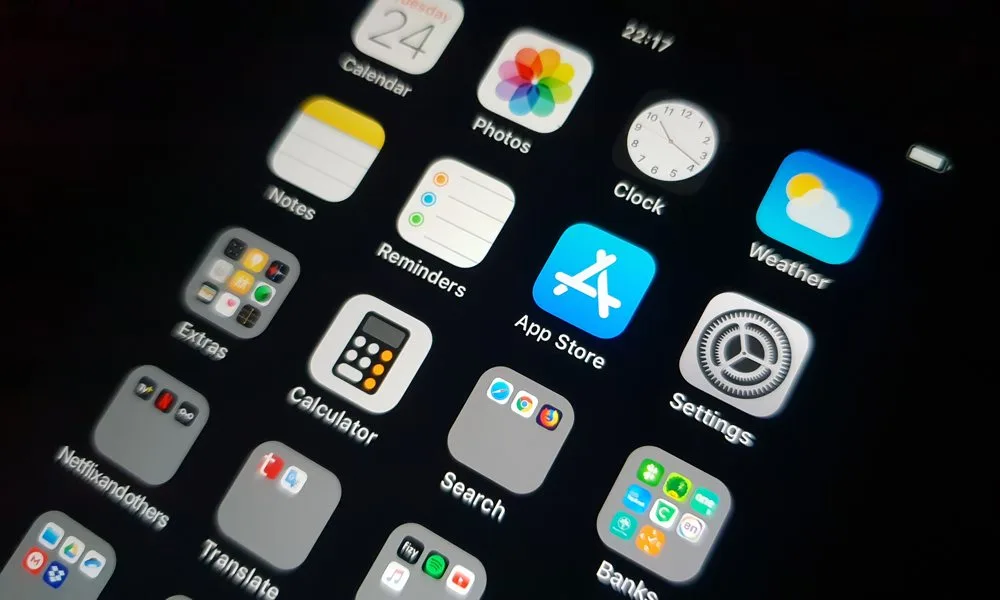
Productivity apps have rapidly become one of the most important categories in the global mobile app economy. As work becomes increasingly digital, professionals are relying more on smartphones and cloud-based tools to manage tasks, communicate with teams, and stay organized throughout the day.
A decade ago, productivity tools were mostly limited to desktop software such as spreadsheets, email platforms, and basic task managers. Today, however, smartphones—especially the iPhone—have evolved into powerful work devices capable of running advanced productivity tools powered by cloud computing, automation, and artificial intelligence (AI).
Because of this shift, productivity software is experiencing strong global growth.
Key Market Statistics
Recent industry research shows the productivity app market expanding at a steady pace:
- The global productivity app market was valued at approximately $12.2 billion in 2025.
- It is projected to grow to around $29.5 billion by 2035.
- This represents a compound annual growth rate (CAGR) of about 9.2%, highlighting strong long-term demand for digital productivity solutions.
This growth is fueled by both individual users and businesses adopting mobile tools to improve efficiency and collaboration.
Major Trends Driving the Growth
Several major technology and workplace trends are accelerating the adoption of productivity apps worldwide.
1. Remote and Hybrid Work
The rise of remote work has dramatically increased the need for digital collaboration tools. Professionals now rely on productivity apps to manage meetings, coordinate projects, share documents, and track tasks across distributed teams.
Freelancers and remote workers in particular depend heavily on mobile apps to organize work schedules and communicate with clients.
2. AI-Powered Automation
Artificial intelligence is transforming how productivity tools operate. Many modern apps now include features such as:
- AI-generated meeting summaries
- Smart task prioritization
- Automated scheduling
- AI writing assistants
These features help users save time and reduce repetitive work, making productivity apps far more powerful than traditional planners or to-do lists.
3. Mobile-First Workflows
Work is no longer tied to office desktops. Professionals now complete many tasks directly from their phones, including responding to emails, editing documents, managing projects, and attending virtual meetings.
This mobile-first work culture has created massive demand for high-performance productivity apps optimized for smartphones.
4. Rise of Digital Entrepreneurs
The growth of freelancers, content creators, startup founders, and small online businesses has also fueled the productivity app boom. These individuals often run entire operations—from marketing to finance—using only a smartphone and cloud tools.
Mobile Devices Are Now Work Tools
The statistics clearly show how deeply smartphones are integrated into modern work environments:
- 62% of the global workforce now uses mobile devices for work-related tasks.
- 78% of enterprise employees rely on smartphones daily for business activities, including communication, project updates, and document sharing.
In many cases, professionals now check their phones dozens of times per hour to manage workflows, track tasks, and stay connected with colleagues.
The Bottom Line
All these trends point to one clear conclusion: the smartphone is no longer just a communication device—it has become a personal productivity command center.
With the right combination of apps, your iPhone can function as a powerful tool for:
- task management
- project planning
- AI-powered assistance
- team collaboration
- deep work and focus
As productivity apps continue to evolve with AI and automation, they are expected to play an even bigger role in how people work and manage their time in the years ahead.
How We Chose These Apps
With thousands of productivity apps available on the App Store, choosing the right ones can be overwhelming. Many apps promise better organization and efficiency, but only a small number actually deliver meaningful improvements to daily workflows.
To create this list, we carefully evaluated dozens of popular productivity apps based on several important factors that determine whether an app truly helps users save time, stay organized, and work more efficiently.
Key Criteria Used to Select the Best Apps
We selected these apps based on the following criteria:
✔ Usability and User Experience
The best productivity apps should be simple, intuitive, and easy to navigate. A complicated interface can slow users down rather than improve productivity. We prioritized apps that offer clean design, fast navigation, and minimal learning curve, allowing users to get started quickly.
✔ Features and Functionality
Each app on this list offers powerful productivity features, such as task management, project planning, reminders, collaboration tools, or automation capabilities. Apps that solve multiple productivity problems effectively were given higher priority.
✔ AI Capabilities
Artificial intelligence is becoming a major driver of productivity software. Many modern tools now include AI-powered writing assistants, task prioritization, meeting summaries, and smart scheduling features. Apps with strong AI integration were evaluated for how well they improve workflow efficiency.
✔ Integration With Other Tools
Productivity apps are most useful when they integrate seamlessly with other platforms. The apps included here support integrations with tools like Google Calendar, Slack, Microsoft Office, email services, and cloud storage platforms, making them easier to incorporate into existing workflows.
✔ Value for Money
Many productivity apps operate on freemium or subscription models. We evaluated whether the free versions provide meaningful functionality and whether the paid plans offer strong value compared to competitors.
✔ App Store Ratings and User Reviews
User feedback is an important indicator of an app’s reliability and effectiveness. The apps featured in this guide have consistently high ratings on the App Store, strong user reviews, and large active user communities.
Who These Apps Are Best For
The apps listed in this guide are versatile and can benefit a wide range of users, including:
- Students who need help organizing assignments, schedules, and study plans
- Freelancers managing multiple clients, projects, and deadlines
- Entrepreneurs running businesses and coordinating tasks with small teams
- Remote workers collaborating across time zones and digital workspaces
- Corporate professionals handling meetings, emails, project management, and productivity workflows
Whether you’re managing schoolwork, running a startup, or balancing multiple professional responsibilities, the right productivity apps can help simplify your workflow and dramatically improve how you manage your time.
9 Best Productivity iPhone Apps in 2026
1. Notion – The All-in-One Productivity Workspace
Best for: Notes, task management, and project organization
Notion has grown from a simple note-taking application into one of the most powerful all-in-one productivity platforms available today. Instead of using separate tools for notes, task lists, and project management, Notion allows users to organize everything inside a single customizable workspace.
Professionals, students, and teams use Notion to build structured digital systems for managing both personal and professional tasks. Whether you are planning projects, writing documents, tracking habits, or storing important information, Notion provides the flexibility to design a workspace that fits your workflow.
You can use Notion for many productivity tasks, including:
- Project management – organize tasks, timelines, and team workflows
- Task tracking – create to-do lists, deadlines, and reminders
- Habit tracking – monitor routines, goals, and daily progress
- Documentation – store notes, research, and work files
- Knowledge management – build a personal or team knowledge base
Because everything lives in one centralized system, users spend less time switching between different apps and more time focusing on important work.
Key Features
Notion offers a wide range of powerful tools designed to improve productivity:
- AI writing assistant that helps generate content, summarize notes, and improve writing
- Customizable dashboards where users can build personalized productivity systems
- Databases and templates for managing projects, tasks, content calendars, and workflows
- Collaboration tools that allow teams to edit documents and manage projects together in real time
In 2026, Notion’s AI capabilities have become even more advanced. The platform can now automatically summarize meeting notes, generate task lists from discussions, and draft documents or reports, helping professionals save significant time during their workday.
Pros
✔ Extremely flexible and customizable for different workflows
✔ Large library of templates for productivity systems
✔ Strong collaboration features for teams and remote work
Cons
✖ Beginners may experience a learning curve due to the app’s many features and customization options
Overall, Notion remains one of the most powerful productivity tools available for iPhone users, especially for people who want a single platform to manage tasks, projects, notes, and knowledge in one place.
2. Todoist – Best To-Do List App
Best for: Task management and daily planning
Todoist is one of the most widely used task management apps in the world, known for its simplicity, reliability, and powerful organization features. It helps individuals and teams keep track of tasks, deadlines, and long-term projects in a clean and easy-to-use interface.
The app is designed to help users break down large goals into smaller, manageable tasks. Whether you’re managing daily responsibilities, work projects, or personal goals, Todoist makes it easy to organize everything in one place and stay on top of your priorities.
One of Todoist’s most useful features is its natural language input, which allows users to quickly create tasks without manually setting every detail.
For example, you can simply type:
“Submit report every Monday at 9 AM.”
The app automatically detects the schedule and creates a recurring task with the correct date and time, saving time and reducing manual input.
Key Features
Todoist includes several powerful features that make it one of the best task managers available for iPhone users:
- Natural language scheduling for quickly creating tasks and deadlines
- Task priority levels that help you identify the most important tasks
- Project boards and task lists for organizing larger workflows
- Reminders and notifications to ensure important deadlines are not missed
- Productivity tracking to monitor completed tasks and progress over time
These tools allow users to create a structured task system that keeps daily responsibilities organized and manageable.
AI Feature
In recent updates, Todoist introduced Task Assist AI, an intelligent feature that analyzes your workflow patterns and suggests task priorities. This helps users focus on the most important work first and avoid spending time on low-impact tasks.
The AI can also recommend task organization strategies, helping users maintain a more efficient productivity system.
Pros
✔ Clean and simple interface that is easy to learn
✔ Powerful task organization and scheduling features
✔ Works across multiple devices including iPhone, iPad, and desktop
Cons
✖ Advanced features such as reminders and productivity analytics are available only in the premium version
Overall, Todoist remains one of the best productivity apps for iPhone users who want a reliable and powerful to-do list system to manage tasks, projects, and deadlines efficiently.
3. Forest – Best Focus App
Best for: Deep work and reducing phone distractions
Forest is one of the most popular focus and concentration apps designed to help people stay away from their phones while working or studying. In an era where constant notifications, social media, and messaging apps easily interrupt concentration, Forest provides a simple but highly effective solution.
The app uses gamification to encourage users to stay focused for a set period of time. Instead of relying on complicated productivity systems, Forest turns focus sessions into a small game that motivates users to avoid distractions.
How It Works
When you start a focus session in Forest:
🌱 A virtual tree begins to grow on your screen.
⏱ The tree grows slowly during the focus period you set (for example, 25 or 50 minutes).
📱 If you leave the app to check social media, messages, or other distractions, the tree dies.
This simple concept creates a powerful psychological incentive to stay focused. Over time, users can grow an entire digital forest representing their completed focus sessions, making productivity feel rewarding and visually satisfying.
Key Benefits
Forest offers several benefits that help improve concentration and build better work habits:
- Builds strong focus habits by encouraging uninterrupted work sessions
- Tracks productivity time, allowing users to monitor how long they stay focused each day
- Gamified motivation that makes productivity feel fun and rewarding
- Customizable focus timers, often used with productivity techniques like the Pomodoro method
Many students, remote workers, and professionals use Forest to block distractions during tasks that require deep concentration, such as studying, writing, coding, or reading.
Why It’s Effective
Research shows that frequent smartphone interruptions can significantly reduce productivity. By creating a visual and emotional incentive to stay within the app, Forest helps users resist the urge to check their phones repeatedly.
Over time, this helps users build healthier digital habits and maintain longer periods of deep work.
Overall, Forest is a simple yet highly effective productivity tool for anyone who wants to improve focus and reduce smartphone distractions throughout the day.
4. Things 3 – Best Apple-Focused Task Manager
Best for: Users deeply integrated into the Apple ecosystem
Things 3 is a beautifully designed task management app created specifically for Apple devices. Unlike many productivity tools that are built for multiple platforms, Things 3 focuses entirely on the Apple ecosystem, which allows it to deliver a smooth, fast, and highly polished user experience.
Because it is optimized for Apple’s hardware and software, the app works seamlessly across:
- iPhone – manage tasks and schedules on the go
- iPad – organize projects with a larger workspace
- Mac – plan and review tasks in a full desktop environment
- Apple Watch – quickly check reminders and daily tasks from your wrist
This tight integration ensures that tasks automatically sync across all your Apple devices, making it easy to stay organized wherever you are.
Key Features
Things 3 focuses on simplicity and clarity while still offering powerful task management capabilities. Some of its most useful features include:
- Elegant and minimal interface that reduces clutter and makes task management feel effortless
- Task scheduling tools that allow users to plan tasks for specific days or upcoming deadlines
- Project organization features that help group related tasks into structured projects
- Recurring reminders for daily, weekly, or monthly tasks
- Areas and categories to organize work, personal goals, and long-term plans
The app also includes a powerful “Today” view, which highlights the most important tasks you need to complete each day. This helps users focus on priorities instead of feeling overwhelmed by long to-do lists.
Why Apple Users Love It
Things 3 has won several design awards and is frequently praised for its clean design, smooth performance, and intuitive workflow. Many users consider it one of the best-designed productivity apps ever created for Apple devices.
Instead of overwhelming users with complex features, Things 3 focuses on providing a simple yet powerful task management experience that encourages consistent productivity habits.
Pros
✔ Beautiful and intuitive interface
✔ Seamless integration across Apple devices
✔ Powerful task organization with minimal complexity
Cons
✖ Only available within the Apple ecosystem
✖ One-time purchase price may be higher than some free alternatives
Overall, Things 3 is an excellent choice for people who primarily use Apple devices and want a clean, distraction-free task manager that helps them stay organized and productive every day.
5. Reclaim AI – Smart Calendar Automation
Best for: Automatic scheduling and intelligent calendar management
Reclaim AI is a powerful productivity tool designed to help users manage their time more efficiently by automatically scheduling tasks within their calendar. Instead of manually deciding when to complete every task, Reclaim AI analyzes your schedule and intelligently finds the best available time slots for your work.
For busy professionals who juggle meetings, deadlines, and personal commitments, this automation can significantly reduce the time spent planning the day.
How It Works
Reclaim AI connects directly with your calendar (such as Google Calendar) and uses artificial intelligence to organize tasks around your existing schedule.
For example, if you add a task like:
“Write blog post.”
The app automatically scans your calendar, identifies available time slots, and schedules the task at the most suitable time without creating conflicts with meetings or other events.
If your schedule changes—such as a new meeting being added—Reclaim AI can automatically adjust or move tasks to a better time, ensuring that important work still gets completed.
Smart Features
Reclaim AI includes several intelligent features that help users maintain a balanced and productive schedule:
- Protects focus time by reserving uninterrupted blocks for deep work
- Automatically reschedules tasks when new meetings or events appear in your calendar
- Prevents meeting overload by limiting how many meetings can be scheduled in a day
- Prioritizes important tasks so they don’t get pushed aside by less important activities
These features make Reclaim AI particularly useful for professionals who manage multiple projects, frequent meetings, and complex schedules.
Why It Improves Productivity
Many people spend significant time manually organizing calendars and shifting tasks around when plans change. Reclaim AI removes much of this friction by automating scheduling decisions, allowing users to focus more on actual work rather than planning.
Over time, this automated system helps create a more balanced workday with better time management and fewer scheduling conflicts.
Pros
✔ Automatically schedules tasks based on available time
✔ Helps protect deep work and focus blocks
✔ Adapts to schedule changes without manual effort
Cons
✖ Full functionality requires integration with supported calendars
✖ Advanced automation features may require a paid planOverall, Reclaim AI is an excellent productivity tool for anyone who wants a smarter calendar that automatically manages tasks and protects valuable focus time.
6. Slack – Best Team Communication Tool
Best for: Team collaboration and workplace communication
Slack is one of the most widely used team communication platforms in the world, especially among startups, tech companies, and remote teams. It is designed to streamline workplace communication by replacing long email chains with organized, real-time conversations.
Instead of sending dozens of emails back and forth, teams can communicate instantly through dedicated channels, direct messages, and collaborative workspaces. This helps teams stay connected, share updates quickly, and manage projects more efficiently.
Slack has become an essential tool for modern digital workplaces where employees may be working across different cities, time zones, or even continents.
Key Features
Slack offers a wide range of tools that make team collaboration faster and more organized:
- Team messaging channels where conversations can be grouped by project, department, or topic
- Direct messaging for quick one-on-one discussions
- File sharing that allows users to upload documents, images, and links within conversations
- Integrations with work tools that connect Slack with other productivity platforms
- AI-powered meeting summaries that help teams quickly review discussions and decisions
These features help reduce communication clutter while ensuring that important information remains easy to find.
Integrations With Other Productivity Tools
One of Slack’s biggest strengths is its ability to integrate with hundreds of third-party applications. This allows teams to centralize their workflows and access multiple tools directly from within Slack.
Popular integrations include:
- Google Drive for document sharing and collaboration
- Notion for project tracking and knowledge management
- Zoom for video meetings and calls
- Trello for project and task management
With these integrations, Slack becomes more than just a messaging platform—it functions as a central communication hub for team productivity.
Why Teams Use Slack
Slack improves team efficiency by making communication faster, more organized, and easier to track. Instead of searching through email threads, team members can quickly find past discussions, shared files, and important decisions within specific channels.
For remote and hybrid teams, Slack also helps maintain a sense of real-time collaboration and workplace connectivity, even when team members are working from different locations.
Pros
✔ Fast and organized team communication
✔ Strong integration with popular productivity tools
✔ Ideal for remote teams and collaborative projects
Cons
✖ Too many channels or notifications can become distracting
✖ Advanced features and larger team plans require paid subscriptions
Overall, Slack is one of the most powerful communication platforms for modern teams, helping organizations collaborate more effectively and keep projects moving forward.
7. ChatGPT – Best AI Productivity Assistant
Best for: Writing, research, brainstorming, and automation
Artificial intelligence has become a major driver of productivity in 2026, and ChatGPT is leading the way as one of the most versatile AI productivity assistants. Unlike traditional apps that focus on a single task, ChatGPT can perform a wide range of functions that help professionals, students, and entrepreneurs save time and work smarter.
How It Enhances Productivity
ChatGPT leverages advanced AI language models to understand natural language inputs and generate human-like outputs. This allows users to automate routine writing and research tasks, brainstorm ideas, and organize information faster than ever.
Some common use cases include:
- Drafting emails – Quickly generate professional emails based on your instructions, saving time on repetitive communication
- Writing reports and articles – AI can create drafts, summaries, and structured content, reducing manual effort
- Brainstorming ideas – Generate creative ideas for projects, marketing campaigns, or problem-solving sessions
- Summarizing articles and documents – Condense long reports, research papers, or meeting notes into concise summaries
By handling these tasks, ChatGPT helps professionals reclaim hours that would otherwise be spent on repetitive or time-consuming work.
Why Professionals Use ChatGPT
Many knowledge workers and entrepreneurs now integrate ChatGPT into their daily workflow. According to recent surveys:
- 70% of professionals using AI assistants report saving 3–5 hours per week
- AI tools reduce cognitive load, allowing workers to focus on higher-value tasks rather than repetitive writing or research
For teams, ChatGPT can also support collaboration by quickly generating drafts, summarizing meetings, or creating structured content that can be shared with colleagues.
Pros
✔ Saves significant time on writing and research
✔ Can assist with a wide variety of productivity tasks
✔ Easy to use with natural language prompts
Cons
✖ Quality depends on prompt clarity
✖ Advanced usage may require a subscription for faster responses or additional features
Overall, ChatGPT is a powerful AI assistant for boosting productivity, helping users accomplish more in less time while reducing repetitive workload and cognitive strain. It has become an essential tool for anyone looking to work smarter in 2026.
8. Microsoft To Do – Best Free Productivity App
Best for: Simple task tracking and daily planning
Microsoft To Do is a lightweight yet powerful productivity app designed for users who want a straightforward way to manage tasks without the complexity of advanced project management tools. It is especially popular among students, freelancers, and professionals who need a free, reliable, and cross-device task manager.
Why It’s Useful
Microsoft To Do focuses on the essentials: keeping track of daily tasks, setting reminders, and organizing personal or work-related to-do lists. Its clean interface ensures users can plan their day efficiently without being overwhelmed by unnecessary features.
Some scenarios where Microsoft To Do excels:
- Planning your daily schedule with a visual task list
- Setting reminders for important deadlines and recurring tasks
- Sharing task lists with family, colleagues, or project teams
- Syncing tasks seamlessly with Microsoft Outlook for work and email integration
Key Features
- Daily planner – View your tasks for the day in an organized layout and plan your workflow
- Reminders and notifications – Never miss deadlines or important tasks
- Shared lists – Collaborate on tasks with colleagues, friends, or family members
- Integration with Outlook – Sync tasks across Microsoft 365 apps for a unified workflow
Pros
✔ Simple and easy to use
✔ Free with no hidden costs
✔ Works well across devices, including iPhone, iPad, and Windows
Cons
✖ Limited advanced features compared to premium apps like Todoist or Notion
✖ Best suited for individuals or small teams, not large enterprises
Overall, Microsoft To Do is an excellent free option for anyone who wants to manage tasks efficiently, especially users who already rely on Microsoft’s ecosystem for email and calendars. It’s a practical tool for keeping your daily workflow organized without unnecessary complexity.
9. Tiimo – Visual Planning App
Best for: Structured daily routines and visual scheduling
Tiimo is a visually-focused planning app designed to help users organize their daily routines in a clear, structured, and intuitive way. The app gained global attention after being recognized as iPhone App of the Year, thanks to its unique approach to productivity and time management.
Unlike traditional task managers, Tiimo emphasizes visual schedules, making it easier for users to see their day at a glance and plan tasks, appointments, and breaks in a structured manner. It is particularly popular among students, professionals, and individuals who thrive with visual organization tools.
Key Features
- AI Chatbot Planner – Helps users plan tasks, adjust schedules, and receive personalized recommendations for staying on track
- Reminders and Notifications – Ensures important tasks are never missed
- Focus Timers – Encourages dedicated work sessions while tracking productivity
- Visual Timeline – Offers a clear visual representation of the day, making routines and tasks easier to follow
Tiimo has grown rapidly, with over 500,000 users worldwide, reflecting the increasing demand for productivity apps that combine structure, visual clarity, and automation.
Why It’s Effective
By combining visual planning with AI guidance, Tiimo helps users reduce decision fatigue, maintain daily routines, and improve time management. The app’s visual interface is particularly useful for those who prefer seeing tasks in a timeline rather than a list, making it easier to balance work, personal tasks, and breaks.
Pros
✔ Intuitive visual interface for daily routines
✔ AI-assisted planning and personalized recommendations
✔ Focus timers and reminders to boost productivity
Cons
✖ Less suitable for complex project management or team collaboration
✖ Some advanced features require a paid subscriptionOverall, Tiimo is a unique productivity app for iPhone users who want structured, visually engaging planning tools to manage daily routines effectively and maintain consistent focus throughout the day.
Productivity Apps Comparison Table
Here’s a quick comparison of all 9 productivity iPhone apps featured in this guide, highlighting their primary focus and pricing options:
| App | Best For | Pricing |
| Notion | All-in-one workspace | Free / $10 per month |
| Todoist | Task management | Free / $5 per month |
| Forest | Focus / deep work | $3.99 one-time |
| Things 3 | Apple ecosystem users | One-time purchase ($9.99–$49.99 depending on device) |
| Reclaim AI | Smart scheduling | Free / $10 per month |
| Slack | Team communication | Free / $8.75 per month |
| ChatGPT | AI productivity assistant | Free / Premium subscription |
| Microsoft To Do | Task management | Free |
| Tiimo | Visual planning | Free / $10 per month |
This table provides a snapshot of the best apps for different productivity needs, helping you choose based on your workflow, device ecosystem, and budget.
Tip: For individuals seeking all-in-one functionality, Notion or Things 3 may be ideal, while apps like Forest and Tiimo are perfect for focus and structured daily routines. Teams will benefit most from Slack and Reclaim AI for collaboration and smart scheduling.
Key Facts & Statistics
Here are some important insights into productivity app usage and workplace trends in 2026:
- Average worker uses 12 work-related apps per month – highlighting the growing reliance on digital tools to manage tasks, communication, and projects.
- Employees lose an average of 2.1 hours per day due to distractions – emphasizing the need for focus and task management apps.
- Mobile work app usage has grown 37% year-on-year – reflecting the shift toward mobile-first workflows and remote work, where smartphones serve as central productivity hubs.
These statistics illustrate why choosing the right productivity apps can have a significant impact on time management, efficiency, and overall work performance.
Tip: Combining task management, AI assistants, and focus apps can help recapture lost hours and optimize daily workflows.
How to Build a Powerful Productivity System
Using too many productivity apps can actually reduce efficiency. Jumping between multiple tools leads to distraction, wasted time, and app fatigue. The key is to create a simple, integrated system that covers all essential productivity areas without overwhelming you.
Recommended Workflow Example
A strong productivity setup typically combines 3–4 complementary tools, each serving a specific purpose:
- Task Management → Todoist – Organize daily to-dos, recurring tasks, and project deadlines
- Knowledge Base → Notion – Store notes, documents, templates, and research in one place
- Communication → Slack – Collaborate with teams, share updates, and integrate with other apps
- Focus → Forest – Block distractions and encourage deep work sessions
This combination ensures your workflow is structured, manageable, and effective. Each app has a clear role, reducing friction and keeping your focus on high-priority work.
Tips to Avoid Productivity App Overload
Many people make the mistake of installing dozens of productivity apps but rarely use them. To maintain an efficient system, follow these rules:
✔ Choose one task manager – Avoid juggling multiple to-do apps
✔ Use one note-taking or knowledge app – Keep all ideas and documentation centralized
✔ Avoid duplicate tools – Only add apps that serve a distinct purpose
✔ Automate repetitive tasks – Use AI assistants, workflow automations, or integrations to reduce manual work
Remember: Productivity apps alone won’t make you more productive. The system you build and consistently use is what creates real results.
By carefully selecting the right tools and integrating them into a streamlined workflow, you can maximize focus, reduce distractions, and make the most of your workday.
FAQs Section
1. What is the best productivity app for iPhone?
While the “best” app depends on your workflow, Notion is widely considered one of the top productivity apps for iPhone. It combines multiple productivity functions—notes, task management, databases, project planning, and team collaboration—into a single platform.
Why Notion stands out:
- Highly customizable dashboards for personal or team use
- Built-in AI writing assistant to summarize notes or draft documents
- Supports databases, templates, and workflow automation
- Works seamlessly across iPhone, iPad, and Mac
Other strong contenders include Todoist for simple task management, Things 3 for Apple users, and Reclaim AI for automatic scheduling. Choosing the right app depends on whether you prioritize task management, focus, collaboration, or all-in-one solutions.
2. Are productivity apps worth it?
Absolutely. Productivity apps provide structured workflows, automation, and focus tools that can save hours per week.
Benefits include:
- Organizing tasks, reminders, and deadlines in a single system
- Automating repetitive work using AI or workflow features
- Reducing distractions by centralizing work or using focus tools like Forest
- Improving collaboration through team apps such as Slack or Notion
Research Insight: A study by Statista shows that employees who use productivity apps report 30–40% improvement in task completion efficiency, especially in remote or hybrid work settings.
3. What app helps you focus the most?
Forest is currently one of the most effective focus apps. Its unique gamification system encourages users to remain off their phones during deep work sessions.
How it works:
- A virtual tree grows while you stay focused
- Leaving the app kills the tree, creating a visual incentive to avoid distractions
- Tracks total focus time and builds streaks for motivation
Other options include Focus@Will (music-based concentration), Freedom (app blocker), and Pomodoro-based timers integrated in Todoist or Tiimo.
4. Are free productivity apps good enough?
Yes, many free productivity apps offer robust functionality. For example:
- Microsoft To Do – Simple task lists, reminders, and daily planning
- Notion (Free Plan) – Includes databases, notes, task tracking, and templates
- Todoist Free – Basic task organization and recurring task setup
Free versions are often sufficient for students, freelancers, and small teams, while premium subscriptions add AI features, team collaboration, or advanced integrations.
5. What productivity app is best for students?
Students often benefit from apps that help organize assignments, track study schedules, and manage deadlines. The top choices are:
- Notion – Ideal for notes, research databases, and project planning
- Todoist – Helps manage homework, deadlines, and recurring tasks
- Microsoft To Do – Lightweight, free, and easy to integrate with calendars
Tip for students: Combine a task manager + note-taking app + focus tool (e.g., Forest) to maximize efficiency and prevent distraction.
6. What is the best AI productivity tool?
ChatGPT and similar AI assistants have transformed productivity in 2026. They can:
- Draft emails, reports, and documents
- Summarize articles and research papers
- Brainstorm creative ideas for projects or campaigns
- Generate code snippets or technical solutions
- Suggest workflows and prioritize tasks
Many professionals now use AI assistants to save 3–5 hours per week on repetitive or cognitive-heavy tasks.
7. Can productivity apps improve work performance?
Yes. Numerous studies show that mobile productivity tools increase efficiency by improving task management, reducing missed deadlines, and minimizing context switching.
- Remote teams using apps like Slack, Notion, or Reclaim AI report 20–30% faster project completion
- Focus tools like Forest or Pomodoro timers reduce distractions, helping knowledge workers maintain longer deep work sessions
- AI assistants like ChatGPT automate routine tasks, allowing employees to concentrate on higher-value work
Bottom line: Properly chosen productivity apps enhance focus, collaboration, and output quality.
8. Do productivity apps work offline?
It depends on the app:
- Offline functionality available:
- Notion – Limited offline access; notes and documents can be edited offline but syncing requires internet
- Todoist – Create, edit, and check off tasks offline; syncs when online
- Notion – Limited offline access; notes and documents can be edited offline but syncing requires internet
- Mostly online-dependent:
- Slack – Requires internet for messaging and integrations
- Reclaim AI – Scheduling and calendar integrations need real-time updates
- Slack – Requires internet for messaging and integrations
Tip: If you travel frequently or have unreliable internet, check offline capabilities before relying on a productivity app.
9. Which productivity apps work best for teams?
For team collaboration, apps need to support shared workspaces, real-time updates, and integration with other tools. Top choices include:
- Slack – Messaging, file sharing, AI meeting summaries, and hundreds of integrations
- Notion – Shared databases, project boards, knowledge management, and collaborative editing
- Reclaim AI – Helps teams coordinate schedules and protect focus time
- Todoist Teams – Assign tasks and track progress across team members
Teams using these apps report better communication, fewer missed deadlines, and streamlined workflows.
10. How many productivity apps should you use?
Experts recommend using 3–4 core apps to cover all productivity needs without creating clutter. A typical workflow might include:
- Task management: Todoist or Microsoft To Do
- Knowledge base: Notion or Evernote
- Focus: Forest or Tiimo
- Team collaboration (if applicable): Slack or Reclaim AI
Key principle:Tools don’t create productivity—systems do. Focus on apps that complement each other and match your workflow rather than installing every trending app.
11. Can productivity apps help with time management?
Yes, they can help prioritize tasks, schedule deep work sessions, and track progress. Apps like Reclaim AI automatically block focus time, while Forest encourages uninterrupted work sessions. Over time, using these apps consistently can reduce procrastination and improve daily time allocation.
12. Are there risks in using too many productivity apps?
Yes. Using too many apps can lead to:
- Distraction and decision fatigue
- Duplicated tasks or overlapping notifications
- Reduced actual productivity despite app usage
Solution: Keep your system lean—choose apps for task management, focus, and collaboration, and use integrations to streamline workflows.
13. Can AI assistants replace traditional productivity apps?
Not completely. AI assistants like ChatGPT enhance productivity by automating writing, brainstorming, and planning, but they work best in combination with task managers, focus apps, and team communication tools. Think of AI as a powerful assistant within your broader productivity system.
Summary
Here are the 6 key insights from this guide on productivity iPhone apps in 2026:
- Rapid Market Growth: Productivity apps are expanding quickly as remote work, mobile-first workflows, and AI-driven tools become essential for modern professionals.
- Massive Global Opportunity: The global productivity app market is projected to surpass $29 billion by 2035, reflecting growing demand from individuals, freelancers, and enterprises.
- All-in-One Solutions Work Best: Apps like Notion and Things 3 that combine task management, note-taking, project tracking, and collaboration offer the most value.
- Focus Tools Are Crucial: Apps like Forest or Tiimo help reduce distractions and build deep work habits, improving overall efficiency.
- AI Productivity Assistants Save Time: AI tools like ChatGPT automate writing, research, brainstorming, and scheduling, allowing professionals to reclaim hours each week.
- Keep Your System Simple: Using 3–4 complementary apps rather than dozens ensures a streamlined workflow, reduces app fatigue, and maximizes productivity.

Conclusion
Productivity isn’t about working longer hours or constantly pushing yourself harder—it’s about working smarter, staying focused, and using the right tools to manage your time effectively. In 2026, with an overwhelming number of tasks, meetings, deadlines, and digital distractions, the right productivity apps can be game-changing.
The 9 apps featured in this guide are designed to help you take control of your workday and achieve more with less stress. With the proper system in place, these tools can help you:
- Organize your life – Keep tasks, projects, notes, and schedules in one place so you always know what to focus on
- Manage tasks efficiently – Break projects into actionable steps, set priorities, and track progress with apps like Todoist or Things 3
- Eliminate distractions – Tools like Forest and Tiimo encourage deep work and reduce the urge to constantly check your phone
- Automate repetitive work – AI-powered assistants such as ChatGPT and smart schedulers like Reclaim AI can handle routine tasks, email drafts, and scheduling, freeing up time for high-impact work
- Collaborate seamlessly – For teams, Slack and Notion ensure communication, document sharing, and project updates happen smoothly without lost emails or misaligned tasks
Whether you are a student managing assignments, a freelancer juggling multiple clients, an entrepreneur running a startup, or a corporate professional navigating a busy calendar, using these apps strategically can help you reclaim time, stay organized, and increase productivity significantly.
The key takeaway: productivity is not about the number of apps you use, but how you integrate the right tools into a simple, effective system. By combining task management, focus tools, AI assistance, and collaboration platforms, you can achieve more every day while maintaining balance and reducing digital overload.
These 9 iPhone apps are your toolkit to work smarter, stay focused, and get more done in 2026.
References
https://www.businessresearchinsights.com/market-reports/productivity-apps-market-117791
https://worldmetrics.org/smartphones-usage-statistics/
https://worldmetrics.org/phone-usage-statistics/
https://zipdo.co/mobile-workforce-statistics/
https://gitnux.org/enterprise-mobile-apps-statistics/
https://www.pcquest.com/mobile-apps/best-productivity-apps-2026-the-expert-field-guide
https://www.techradar.com/best/best-todo-list-apps
https://www.tiimoapp.com
https://www.statista.com/topics/1006/mobile-app-usage/
https://www.mordorintelligence.com/industry-reports/productivity-apps-market
https://businessofapps.com/data/productivity-app-market/
